Skincare shoppers read ingredient lists. Some arrive looking for something, such as niacinamide or ceramides. Some arrive avoiding something, such as fragrance. Both groups will leave a product page that makes them hunt for the answer.
Presenting ingredients well is mostly a matter of structure. There are three layers, each with a different job, and the work is in connecting them so you only write things once.
Three layers, three jobs
- The full ingredient list. Complete and exact. It serves the shopper who is checking for one specific thing.
- Key ingredients, explained. The handful that do the work in this product, in plain language. It serves the shopper who wants to understand what they are buying.
- An ingredient glossary. One place that covers every ingredient your brand uses and links each to the products that contain it. It serves the shopper who starts from an ingredient rather than a product.
The first is the minimum. The third is the one that makes the other two easier to maintain.
The full list: complete, as text, easy to find
Publish the complete ingredient list on every product page, and publish it as text. A photograph of the back of the box cannot be searched, read aloud by a screen reader or translated by a browser.
Keep the list on your site identical to the list on the current packaging, and update it when a formula changes. How that list must be written on the pack is set by labeling rules that vary by market. The FDA’s cosmetics labeling guide covers the United States. For the EU, the European Commission’s CosIng database lists cosmetic ingredients and the common names used on labels; the Commission describes it as information only, with no legal value. Check the rules for the countries you sell in; this article is not a substitute for that.
The full list is reference material, so a collapsed panel is a reasonable home for it, alongside warnings, size and storage details. Label the panel plainly, for example “Full ingredient list”, so nobody has to guess which panel holds it.
A “free from” line is not a replacement for the list. Shoppers who avoid an ingredient want to check for themselves.
Key ingredients: say what each one does here
Pick three to five ingredients per product. For each one, give:
- The name shoppers know, and what kind of ingredient it is.
- A one-line summary of its role, in careful words.
- Why it is in this formula, and its concentration if you disclose it.
- A reference, when you make a statement that needs one.
Keep the wording honest. Describing what an ingredient is, or what it is there to do, is different from promising a result on the shopper’s skin. The claims rules that apply to your product copy apply to your ingredient copy too.
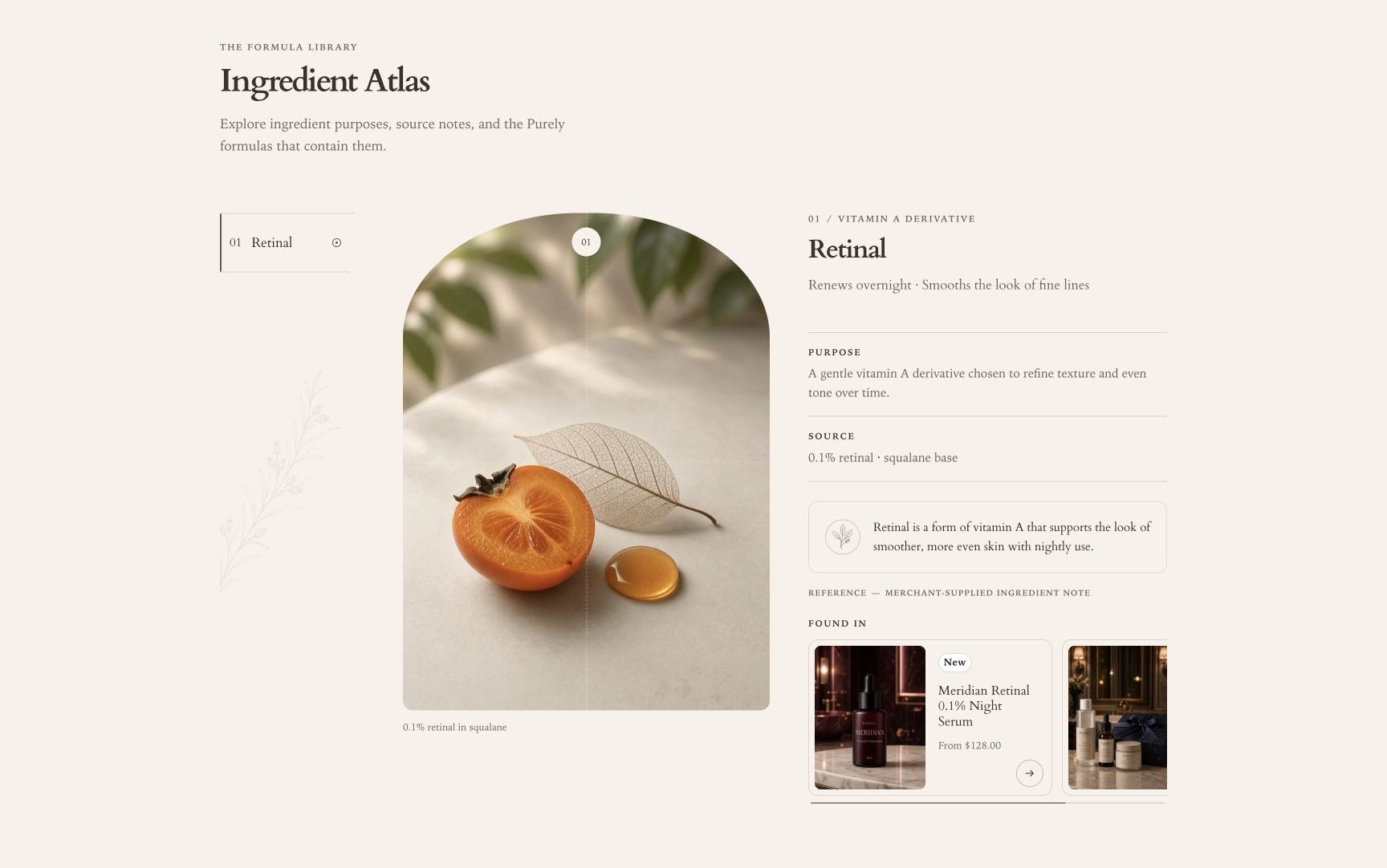
Write each ingredient once
This is where stores create work for themselves. The paragraph about hyaluronic acid is typed into the first product page, copied into the second, edited slightly in the third, and a year later there are nine versions that do not agree.
The fix is a library. Each ingredient gets one entry with its name, type, summary, details and image. Each product records which ingredients it contains. The product page then shows the entries for that product’s ingredients, and editing an entry updates every page that uses it.
In Shopify, the list of ingredients a product contains can be stored on the product itself. When you assign a skincare product a category, Shopify offers category fields for it, including one for active ingredients. Custom metafields can do the same job.
Milestone, the theme we make, works this way on product pages. Its Ingredient atlas section on the product template holds one library of ingredient entries. On each product page it reads that product’s active ingredients from Shopify and shows the matching entries, so one entry serves every product that contains the ingredient.
One practical lesson from building it applies to any setup: use exactly one name for each ingredient. If the library says “Vitamin C” and the product says “Vitamin C (Ascorbic Acid)”, nothing will connect them. Decide on your names early, write them down, and use them everywhere.
Build a glossary page
Once the entries are written, a glossary page is a small step: it is the same entries, shown together. Check how your theme handles this. Some reuse one library everywhere. In Milestone, a glossary page and a home page preview each keep their own copy of the entries, so a change to an ingredient has to be made in each place.
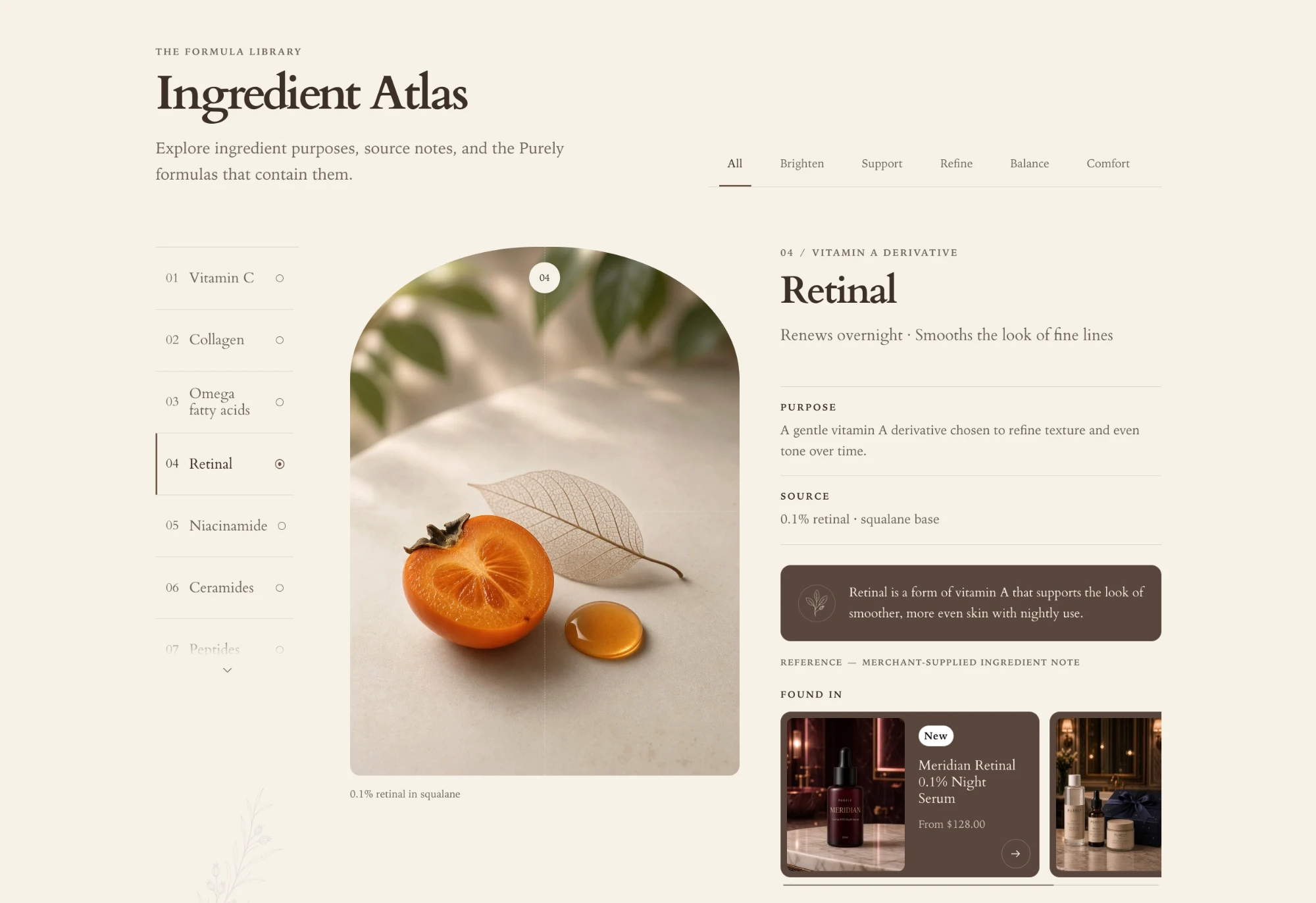
A few things make a glossary useful rather than decorative:
- Group by what shoppers want, not by chemistry. “Hydrate”, “Brighten” and “Refine” help more people than “Humectants” and “Retinoids”.
- Link every ingredient to products. An entry that ends without a path to a product is a dead end. Check that each linked product really contains the ingredient.
- Put it in your navigation. A glossary nobody can find helps nobody. Link it from the menu, and from each product’s ingredient section.
- Give each entry enough to stand alone. People search for ingredients by name, and a glossary gives your store a page that answers that search.
On the home page, show a short preview instead of the whole library: the three to five ingredients customers ask about most, with a link to the full page.
Link in both directions
The value is in the connections:
- From a product, a shopper can open any key ingredient and read about it.
- From an ingredient, a shopper can see every product that contains it.
- When comparing two products, key ingredients are one of the rows. For a shopper choosing between two serums, that row is often the deciding one.
Each link turns a research question into a way to keep shopping.
Check it on a phone
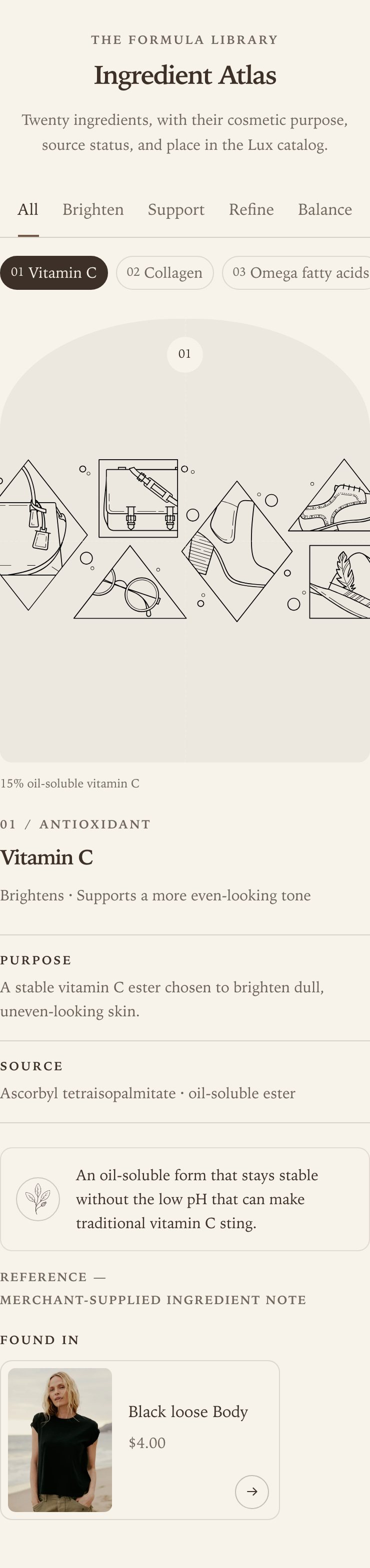
Ingredient sections tend to be designed on a wide screen and read on a narrow one. On a phone, check that the ingredient names are easy to tap, that long names do not get cut off, that a long list scrolls without trapping the page, and that the full ingredient list is readable without zooming.
Common mistakes
- The ingredient list as an image. Unsearchable, and unreadable for some of your customers.
- Several names for one ingredient. It confuses shoppers and breaks any automatic matching.
- A list that no longer matches the pack. Update the site whenever the formula changes.
- Ingredient copy that promises results. Describe the ingredient; let your evidence speak for the product. We cover that in how to show test results on a product page.
- The same explanation retyped on every product. Write it once and reuse it.
If you are still choosing a theme, ingredient handling is one of the things worth testing on a demo store. Our checklist for choosing a skincare theme covers the rest.
Ask a question about this article
There is no comment thread here. Send your question and a person will reply by email.