Create routine pages
Create an independent page template, replace sample cards with real products, and publish a complete routine.
Use this guide for a named routine with its own URL, such as The daylight protocol. Products are picked directly in each step. A collection, Search and Discovery, and custom metafields are not required for this setup.
1. Create the Shopify page
- Open Online Store → Pages → Add page.
- Enter a customer-facing title, such as The daylight protocol.
- Keep Visibility → Hidden while preparing the page, then save.
The page owns its title and URL. Typing a product list into Content does not turn it into Routine builder cards. The supplied routine layout hides the page’s ordinary title and body visually, while its page section retains the main heading for accessibility. Write the visible introduction and usage instructions in the builder.
2. Create a separate template and assign it
- Go to Online Store → Themes → Customize on the intended theme.
- Open the template selector at the top, choose Pages, then Create template.
- Enter routine-daylight and choose routine under Based on. Create and save.
- Return to Online Store → Pages → The daylight protocol.
- Under Template, select routine-daylight and save the page.
- Return to the theme editor and choose this actual page under Preview.
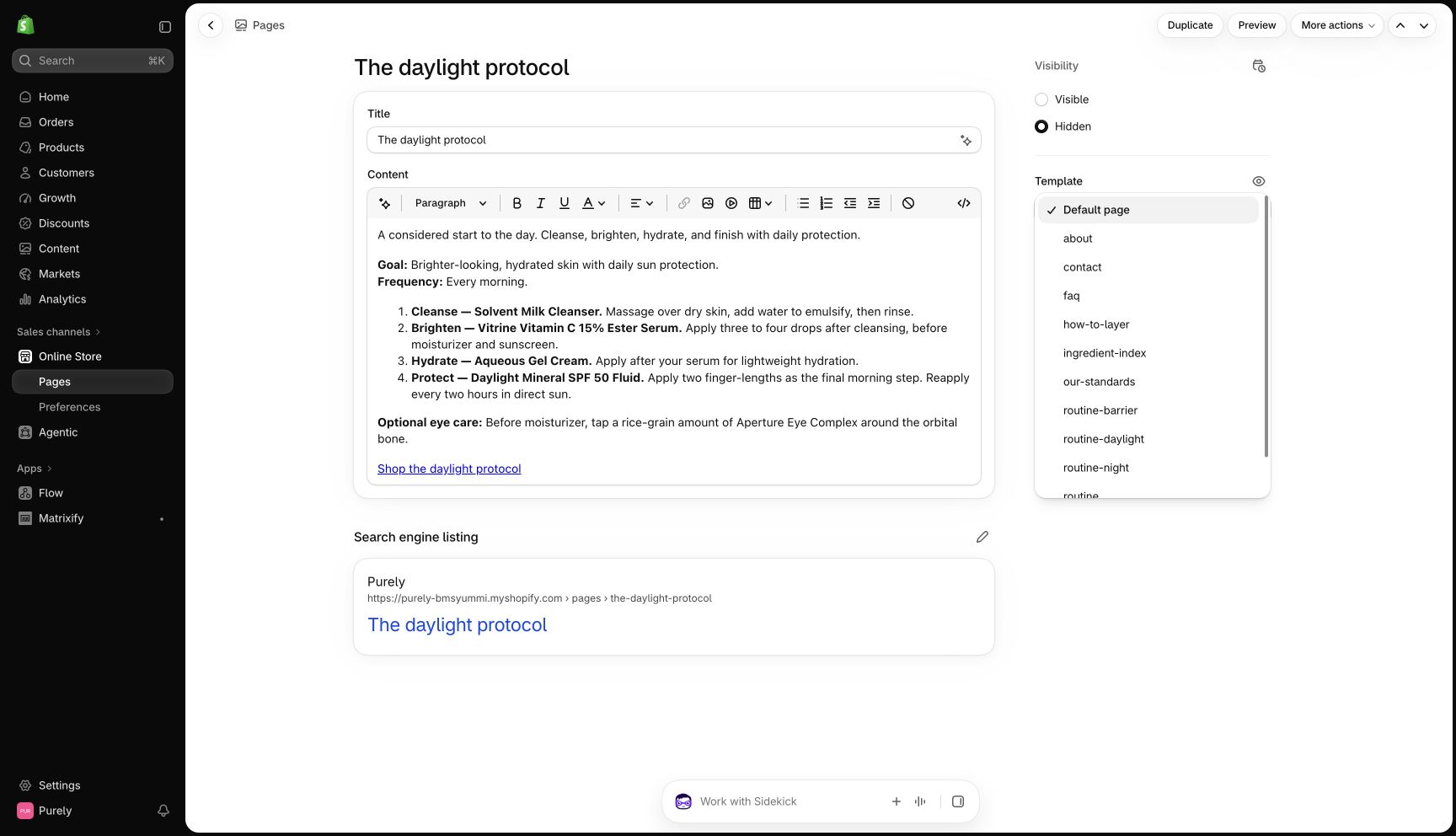
Assign the template on the page in Shopify admin. Choosing a page in the editor’s Preview control only changes the preview. If the editor says Assigned to 0 pages, this assignment is still missing.
Templates offered in the page editor come from the published theme. When working on an unpublished theme, you can preview its template before publishing, but its new template may not appear in the page’s assignment list until that theme is published. Do not publish a theme just to finish a test; keep the page hidden and finish the preview first.
For another independent routine, create routine-barrier or routine-night based on routine and assign it to that page. Pages sharing one template share the same sections, tabs, products, and instructions. Renaming the pages does not separate their settings.
3. Choose manual step products
Open Routine builder → Step products → Step source and select Step blocks (same on every product). On a routine page, this uses each step’s own Product picker.
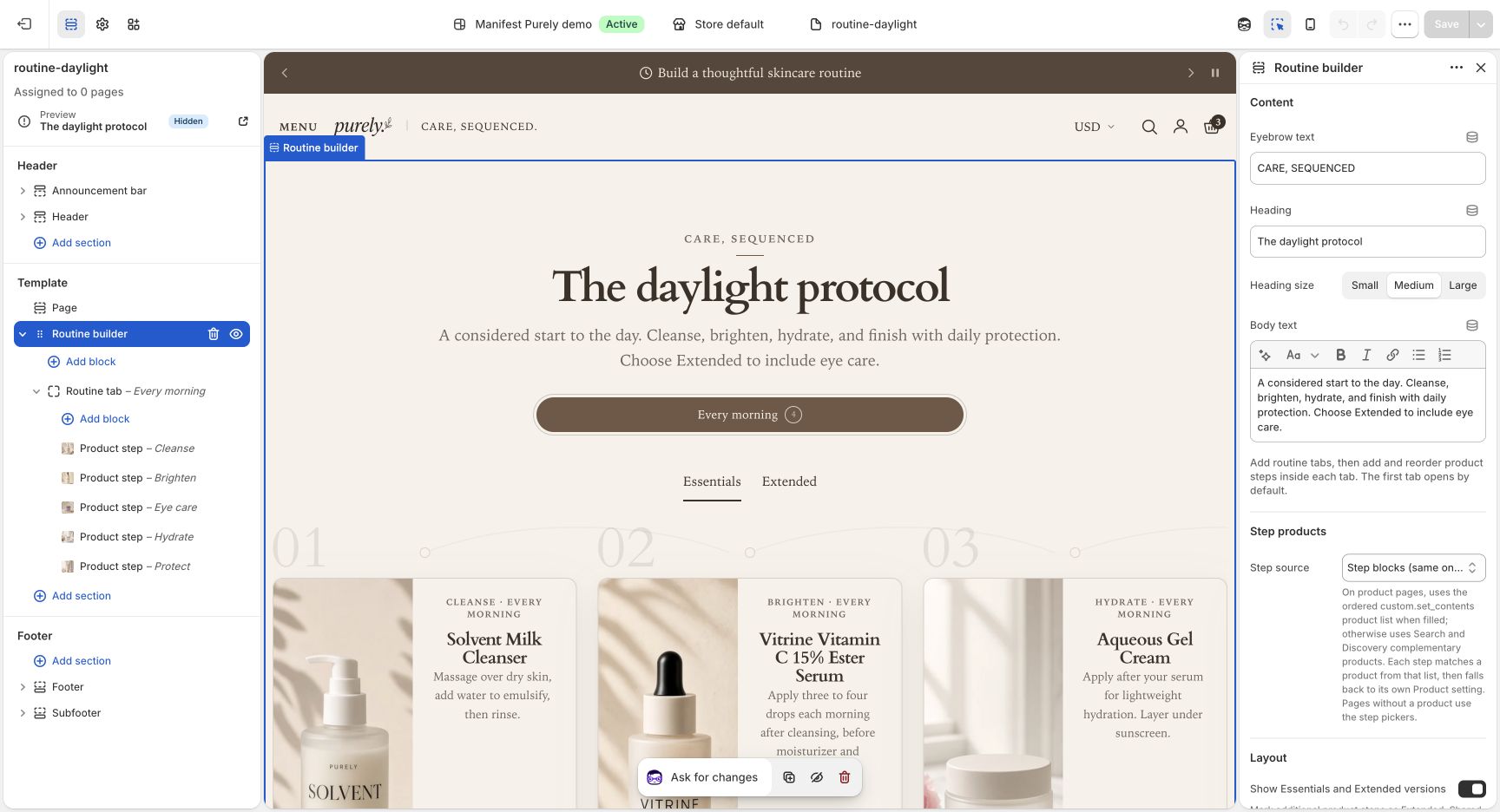
Write the Eyebrow text, Heading, and Body text. For this example:
- Eyebrow text: CARE, SEQUENCED
- Heading: The daylight protocol
- Body text: A considered start to the day. Cleanse, brighten, hydrate, and finish with daily protection.
4. Replace the sample cards
Add a Routine tab, name it Every morning, then add Product steps inside that tab. Open each step, select its Product, enter its Step name and Usage guidance, and arrange the blocks in application order.
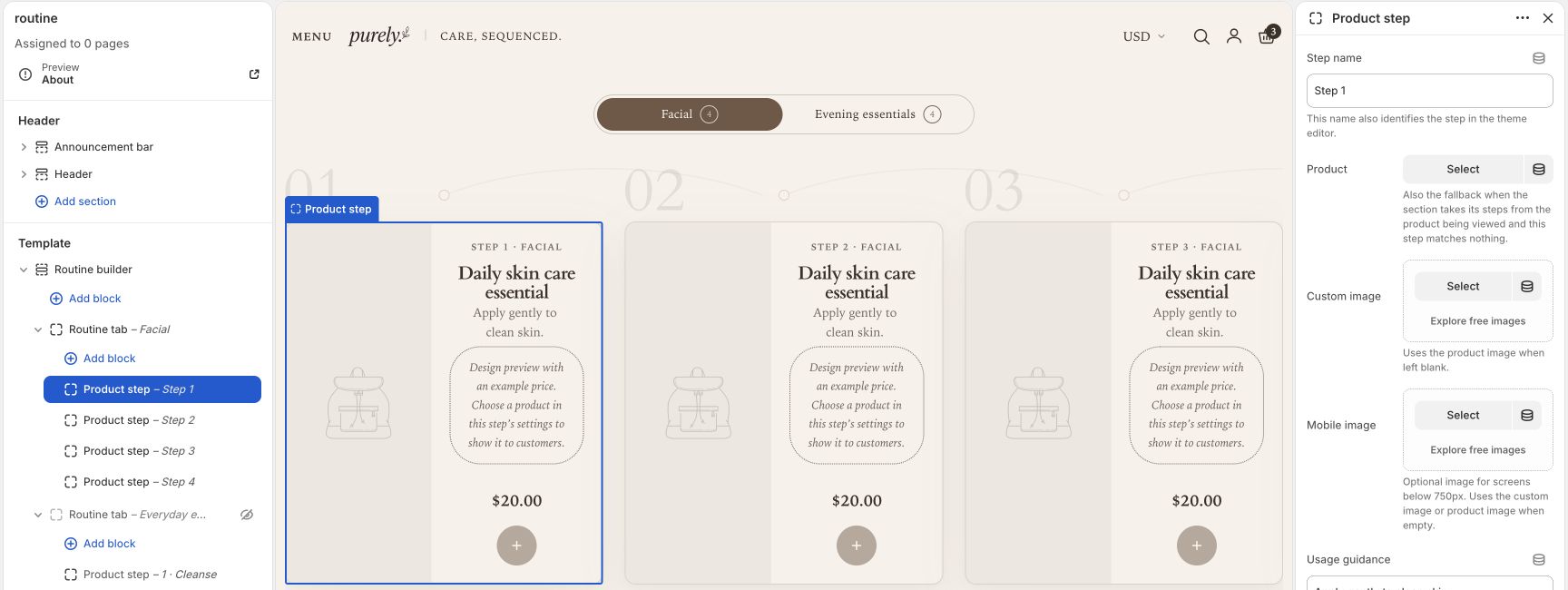
Before product selection, the sample illustration, example price, and disabled add button show the design only. They are hidden from customers. Selecting a Custom image alone does not select a purchasable product.
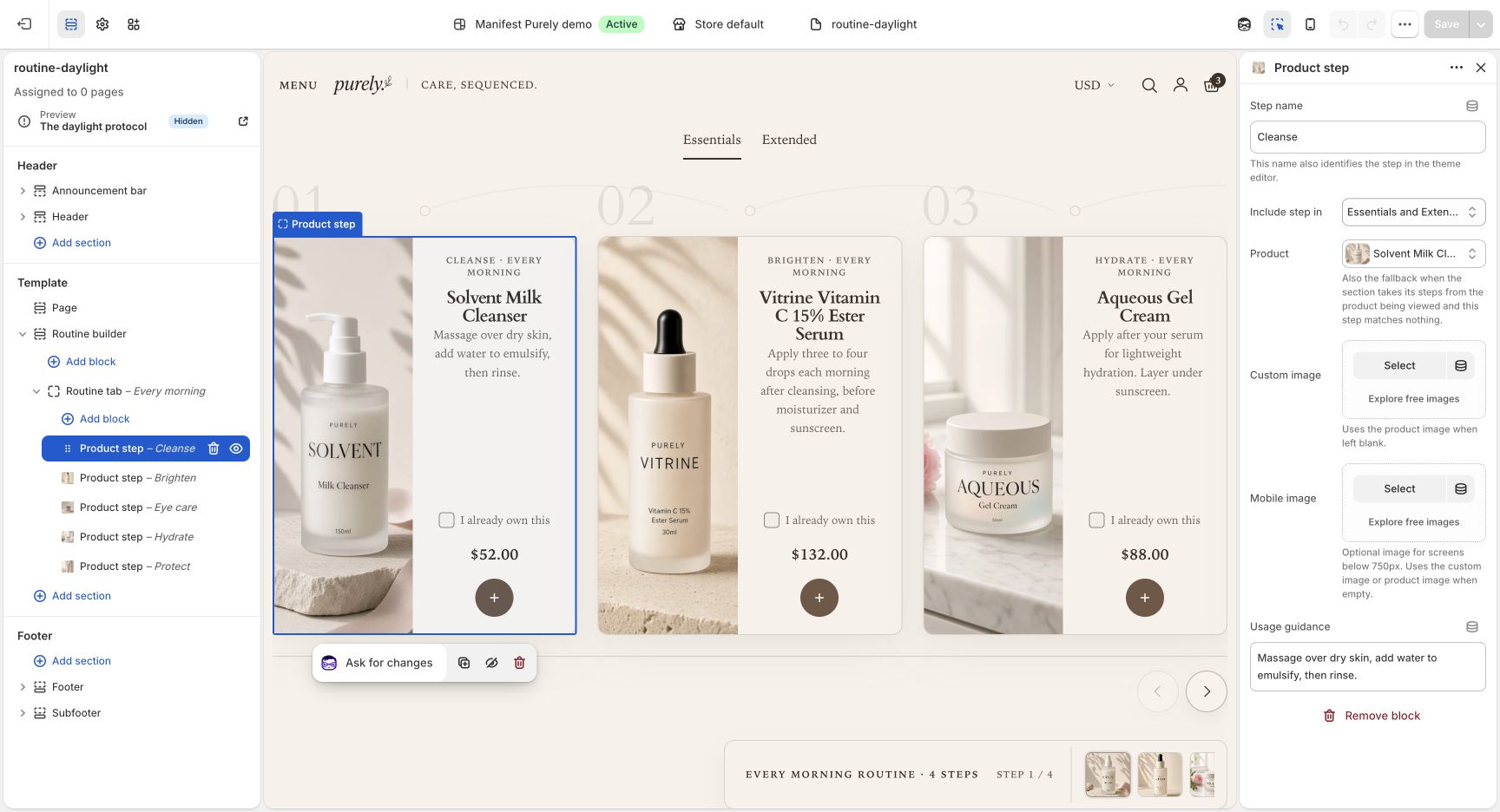
After selecting a Product, Shopify supplies its image, title, price, variants, and availability. The theme block supplies the step name and the instructions.
5. Follow the complete daylight example
The Purely example uses the following products and their own published directions. Choose products from your catalog and use their actual directions; these amounts are not defaults for other formulas.
| Order | Step name | Product | Usage guidance |
|---|---|---|---|
| 1 | Cleanse | Solvent Milk Cleanser | Massage over dry skin, add water to emulsify, then rinse. |
| 2 | Brighten | Vitrine Vitamin C 15% Ester Serum | Apply three to four drops each morning after cleansing, before moisturizer and sunscreen. |
| 3, Extended only | Eye care | Aperture Eye Complex | Tap a rice-grain amount around the orbital bone before moisturizer. |
| 4 | Hydrate | Aqueous Gel Cream | Apply after your serum. Layer under sunscreen. |
| 5 | Protect | Daylight Mineral SPF 50 Fluid | Apply two finger-lengths as the final morning step. Reapply every two hours in direct sun. |
Enable Show Essentials and Extended versions. Set Eye care to Extended only; set the four other steps to Essentials and Extended. Essentials shows four products, and Extended shows five in the order above. The visible step numbers update automatically; there is no need to type numbers into Step name.
Enable Show complete routine quick add on the tab, set Quick add label to Review and shop routine, and leave Offer message blank unless a matching automatic discount exists. Enable Let customers exclude products they own if shoppers should purchase only their missing products.
6. Use tabs for alternative schedules
A night routine needs alternatives rather than an extra product after every step. The Purely night page uses three tabs:
| Tab | Sequence |
|---|---|
| Retinal nights | Lucent → Meridian → Umbra |
| Recovery nights | Lucent → Nocturne → Umbra |
| Mask nights | Lucent → Nocturne → Sable, with Sable replacing Umbra |
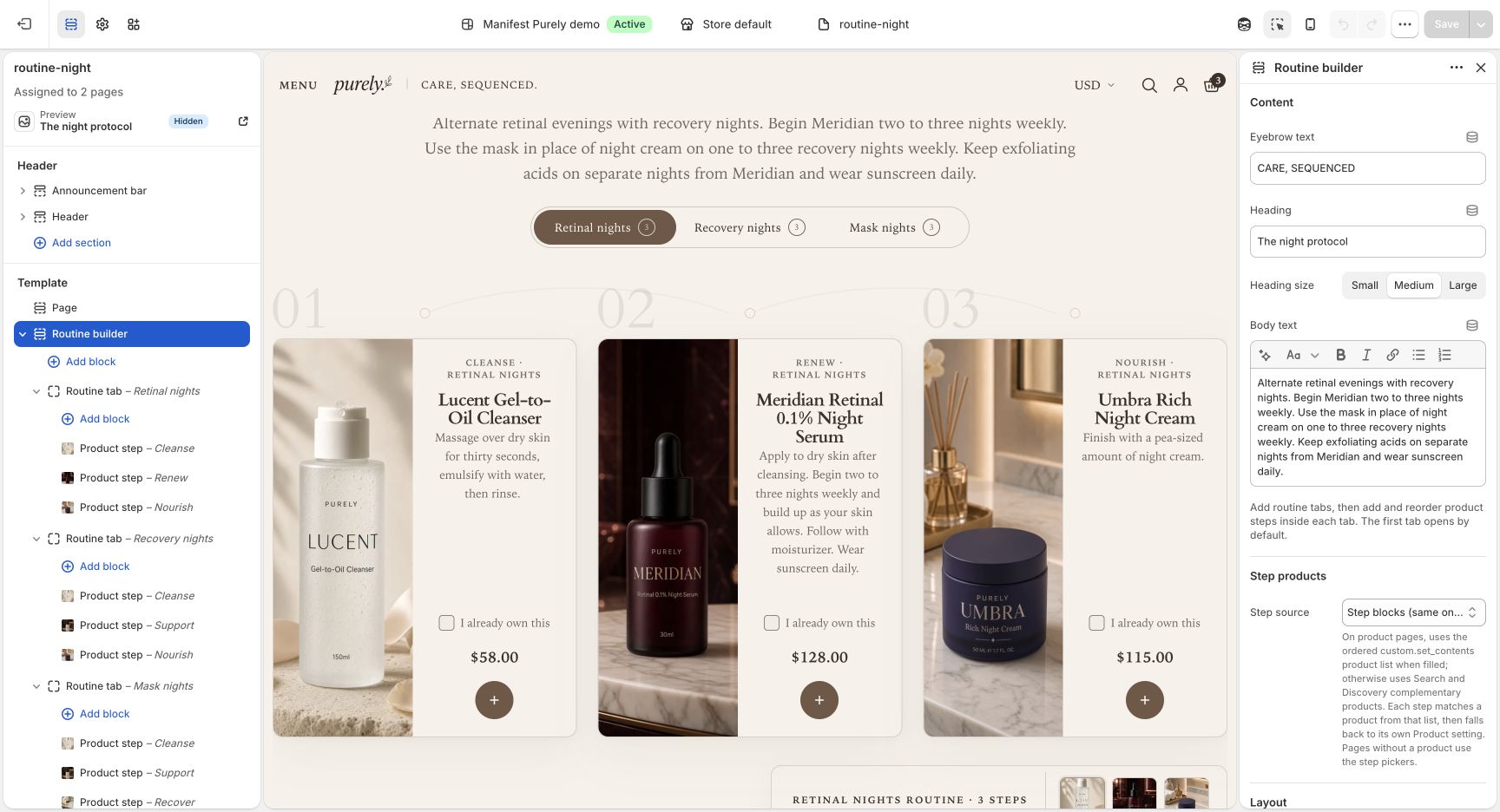
Five distinct products serve three different schedules. A customer follows the selected tab; the page does not instruct them to apply every product on the same evening.
Write frequency in the introduction and relevant Usage guidance. For this example, Meridian starts at two to three nights weekly, and Sable replaces Umbra on one to three recovery nights weekly, following their product directions. An Extended step adds to a sequence; it does not replace another step, so use separate tabs when products are alternatives.
7. Preview, make visible, and link
- Save the template and preview the actual page on desktop and mobile.
- Check each tab and version, the step order, product images, variants, and accurate availability.
- Open the routine review. Check its products, quantities, prices, and total. Mark one item as owned and confirm that the instructions remain while the purchase count decreases.
- When ready, return to the page in Shopify admin, select Visible, and save.
- Add the page to the Routines overview, or link it directly from Content → Menus.
Creating or publishing a page does not publish a theme or remove store password protection.